
Read the dashboard
The authenticated home page shows your account’s analysis metrics, recent campaigns, resource inventory, and operational attention items. Administrators still see their own campaign data; impersonation follows the selected account.
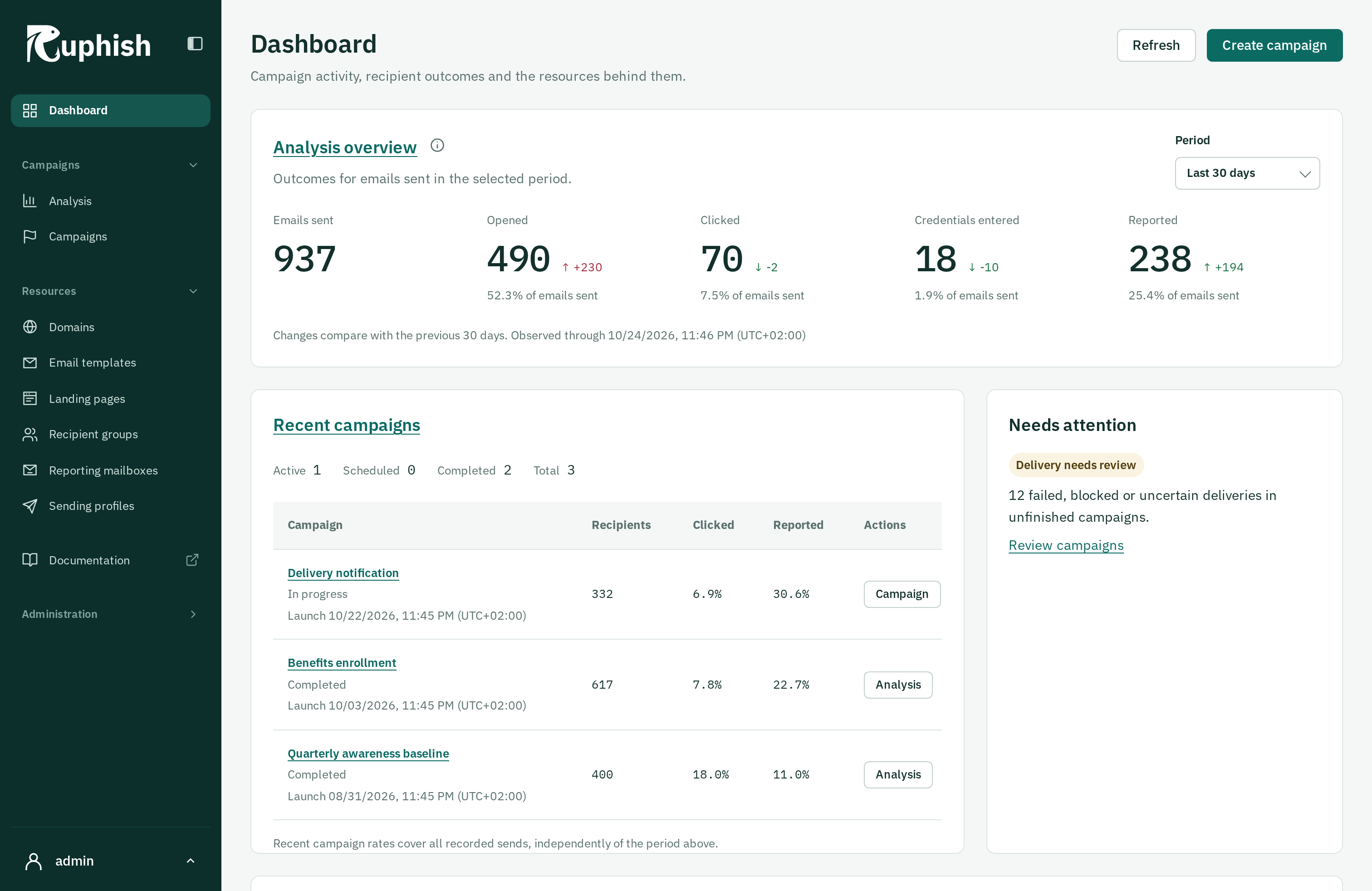
This screenshot uses synthetic demonstration data, captured on 23 October 2026. Its counts illustrate the layout, not campaign effectiveness or results you should expect. The period applies to the analysis overview; recent-campaign rates cover each campaign’s recorded sends independently.
Choose All time, Last year, Last 30 days, or Last 7 days. Last year is a rolling 365 days, and the default is Last 30 days. The period affects the analysis overview; recent-campaign rates use each campaign’s complete recorded history.
Headline metrics count recipients. Interaction percentages use the selected sent-recipient denominator. Smaller comparison values are absolute count changes, so consider volume as well as direction. Read metric definitions before comparing periods.
Use Needs attention to find enabled domains without current verification and failed, blocked, or uncertain deliveries in unfinished campaigns. A disabled domain remains in inventory without requesting verification attention.
Changing the period reloads metrics independently of other dashboard content. Failed refreshes retain confirmed results with their timestamp and a retry option. Check freshness before treating an attention count as current.